Kids Spelling Game: Learn Letters

Kids Spelling Game: Learn Letters

Kids Educational Word
Developer: Mud Wanderer Games
Published: 2024-07-12
Updated: 2026-06-10

What players say

This game provides a solid foundation for letter and word recognition. The drag-and-drop interface is intuitive for small hands, and the gradual difficulty ensures steady progress. It avoids distractions, focusing purely on learning. Perfect for short practice sessions at home or in the classroom, with replay value from new words and levels.

About

Game Introduction

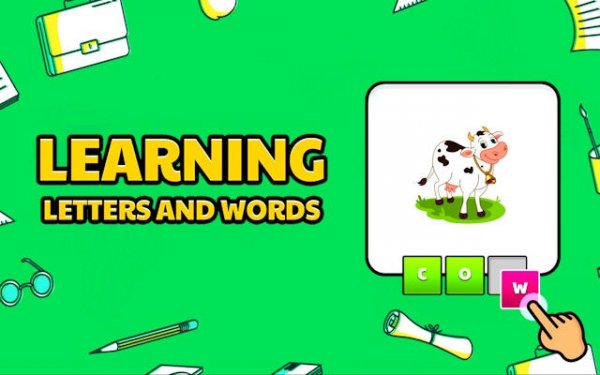
Kids Spelling Game is an educational online activity designed for preschoolers and kindergarteners. It presents colorful images that children recognize, then challenges them to spell the object's name by selecting the correct letters. This process strengthens the link between visuals, words, and letter sounds. The game provides a safe, focused environment for early literacy practice, making it a valuable tool for parents and educators.

How to Play

A clear picture appears on the screen. Below it, jumbled letters are shown. The child drags and drops each letter into empty slots to spell the word matching the image. Immediate feedback guides learning, and correct answers unlock new levels. The difficulty gradually increases with longer words, keeping the child engaged while building skills step by step.

Game Features

Builds core literacy abilities like letter recognition and spelling. Child-friendly design with large buttons and bright visuals. Progressive learning system introduces new words as skills grow. Safe environment with no ads or external links. Boosts confidence through positive reinforcement and clear feedback.

Tips for Success

Encourage children to say the word aloud before spelling to connect sound with letters. Practice regularly in short sessions to maintain focus and enjoyment. Celebrate small achievements to build confidence. Use the game as a supplement to reading activities for reinforced learning.

Compatibility


This H5 game runs smoothly on: • Desktop computers (Windows / Mac) • Mobile phones (iPhone / Android) • Tablets (iPad / Android) 🌐 Best experienced with Chrome, Safari, or Edge

FAQ
Is this game free to play?
The game is described as an online activity, which typically means it can be accessed through a web browser without payment. However, specific pricing details are not provided in the available information, so it's best to check the hosting site for any subscription or in-app purchase details.
What age group is this game designed for?
Kids Spelling Game is designed for preschoolers and kindergarteners, typically ages 3 to 6. The colorful images, simple drag-and-drop mechanics, and gradual increase in word difficulty make it suitable for early learners who are just beginning to recognize letters and form simple words.
Can multiple children use the same device to play?
The available information does not specify multi-user profiles or account features. However, since the game is a simple online activity, multiple children can likely take turns using the same device. Parents may need to reset progress manually if the game does not save separate profiles.
Does the game include audio instructions or sound effects?
While not explicitly stated, educational spelling games for young children often include audio cues such as letter sounds, word pronunciation, and positive reinforcement sounds. The game's focus on connecting visuals to letter sounds suggests that audio may be part of the experience, but this should be confirmed on the game page.
What types of words does the game teach?
The game likely teaches common, simple words that correspond to the colorful images shown on screen. These may include basic nouns like 'cat', 'dog', 'sun', or 'ball'. As the difficulty increases, longer words may be introduced, but the exact word list is not provided in the available information.
Is an internet connection required to play this game?
Since Kids Spelling Game is described as an online activity, an internet connection is typically required to load and play the game in a web browser. However, some online games may offer offline modes after initial loading. For reliable access, a stable internet connection is recommended.
Advertisement

Related Picks