Sofia's Creative Slime Studio

Sofia's Creative Slime Studio

Ocean Pixel Studios
2026-07-21
Imaginative Play Slime Crafting Fashion Design

Reviews

Sofia's Creative Slime Studio offers a refreshing break from fast-paced games. The slime mixing is tactile and satisfying, with plenty of colors and add-ins to explore. Pairing outfits with slime themes adds a clever layer of creative decision-making. The lack of timers or scores makes it ideal for winding down. Parents will appreciate the safe, ad-free environment and the gallery feature that lets kids showcase their work. It is a well-designed activity that encourages artistic thinking in a relaxed setting.

About This Game

Slime Mixing Mechanics

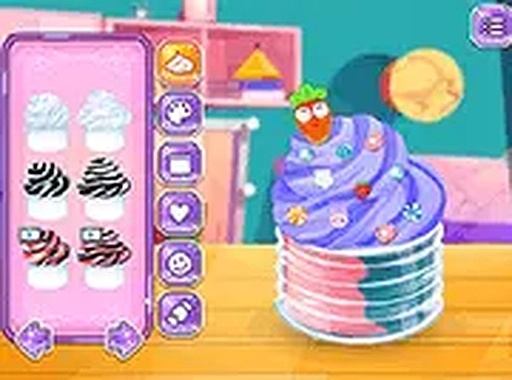
Players start by picking a base color from a palette of bright options. They can then layer in glitter, tiny beads, or foam pieces to change the slime's texture and look. The mixing process is simple and satisfying, with each ingredient adding a new visual or tactile element. There is no timer or scoring, so users can take their time experimenting with different combinations.

Outfit Coordination

Once the slime is ready, the focus shifts to Sofia's wardrobe. Players browse through tops, bottoms, shoes, and accessories to find an ensemble that complements the slime's color scheme or theme. This step encourages thoughtful pairing and personal style choices. The outfit selection is broad enough to allow for many unique looks.

Rewards and Unlockables

Trying new slime and outfit combinations unlocks additional colors, clothing pieces, and decorative items. A simple achievement system tracks progress and rewards creativity. This gentle incentive structure motivates players to keep experimenting without adding pressure or competition.

Gallery and Sharing

A built-in screenshot tool lets players save their favorite slime and outfit pairs to a personal gallery. They can view their collection anytime, which serves as inspiration for future creations. This feature also gives a sense of accomplishment and pride in one's work.

Safe and Accessible Design

The game uses bright, cheerful visuals and intuitive controls that work on both mobile devices and computers. There are no ads, pop-ups, or external links that could lead to inappropriate content. The environment is designed to be welcoming for children and adults alike, with no stressful elements or time constraints.


✅ Compatibility & Testing

• Desktop (Windows 11, macOS Ventura)
• Mobile (iPhone 14, Samsung Galaxy S23)
• Tablet (iPad Pro, Android tablet)
✅Supported browsers: Chrome, Safari, Edge, Firefox (latest versions)
❌ Not supported: Internet Explorer, older browser versions

FAQ

Can I play Sofia's Creative Slime Studio offline?
Yes, the game works offline after the initial download. This makes it a great option for car rides or places without internet access. All features, including the gallery, are available without an active connection.
Is Sofia's Creative Slime Studio free to play?
The game is free to download and play. Some optional cosmetic items may be available through in-app purchases, but these are not required to enjoy the full slime crafting and dress-up experience. Parents can disable purchases in device settings.
What age group is Sofia's Creative Slime Studio designed for?
The game is primarily designed for children ages 4 to 12, but its relaxing nature appeals to older players as well. The simple tap-and-drag controls make it accessible for young children, while the creative options keep older kids engaged.
Does the game include any social features or chat?
No, there are no social features, chat functions, or multiplayer modes. The game is a single-player experience focused on personal creativity. This ensures a safe, private environment for children to play without outside interaction.
How many different slime ingredients are available?
The game includes a variety of base colors, glitter types, beads, and foam shapes. New ingredients are unlocked as players experiment with different combinations. The exact number grows with updates, but there are enough options to create many unique slime recipes.
Can I delete my saved creations from the gallery?
Yes, players can manage their gallery by removing any saved images they no longer want. This helps keep the collection organized and makes room for new favorite designs. The delete option is easy to find within the gallery menu.

Comments

0 comments
U
User
★ ★ ★ ★ ★
Loading comments...