
● REVIEWS
Cosmic Planet Discovery Simulator offers a unique way to explore our solar system. The ability to switch between 3D and 2D views provides different learning perspectives. The adjustable speed control and side-by-side planet comparison are particularly useful for understanding scale and motion. It is free, works on any device, and requires no downloads.
● ABOUT THIS GAME
Game Introduction
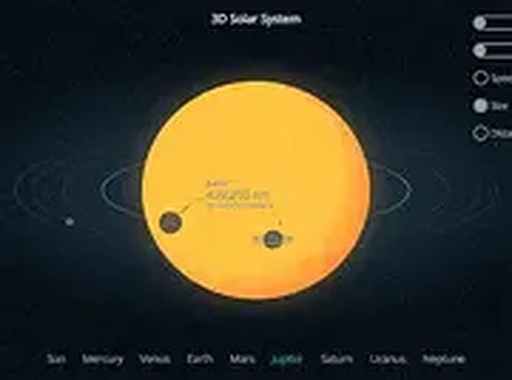
Cosmic Planet Discovery Simulator is an interactive educational tool designed to help users learn about the planets orbiting our sun. The simulation presents a comprehensive view of the solar system, allowing users to explore planetary motion and relationships in a dynamic environment. Users can switch between a full three-dimensional perspective and a two-dimensional layout to gain different insights into the arrangement of planets. The tool includes adjustable settings to control the speed of planetary orbits, enabling users to observe patterns at a comfortable pace. A side-by-side comparison feature allows users to evaluate the relative sizes of planets and the distances between them. This resource is particularly useful for understanding the scale and motion of our cosmic neighborhood. The simulation runs directly in a web browser without requiring any downloads or installations, making it accessible to a wide audience. It is suitable for children, students, and anyone curious about astronomy. The interface is designed to be intuitive, encouraging exploration at the user's own pace. By interacting with the simulation, users can develop a clearer mental model of how planets move and relate to one another in space.
How to Play
To begin using the simulation, users can select either the 3D or 2D view from the main screen. The settings menu allows users to increase or decrease the speed at which planets orbit the sun. A side view option provides a clearer perspective for comparing planet sizes and distances. Navigation is straightforward: users can click or tap on any planet to learn more about it. The simulation is designed to work smoothly on both desktop and mobile devices, and full-screen mode can be enabled for a more immersive experience. There are no complex controls or timers, so users can explore at their own pace. The tool is accessible to users of all ages and experience levels.
Game Features
Features include the ability to switch between 3D and 2D views for different learning perspectives. Users can compare planet sizes and distances using a side view. The rotation speed is adjustable, allowing users to slow down or speed up the simulation. The tool is fully playable on mobile devices and supports full-screen mode for an enhanced experience. All content is presented in a clear, educational manner without any distracting elements. The simulation is free to use and does not require any downloads or registration.
Tips for Success
To get the most out of this educational tool, start by exploring each planet individually to learn its unique characteristics. Use the speed control to observe orbital patterns at a comfortable pace. Compare planets side by side to better understand their relative sizes and distances. Regular exploration will help you build a mental map of the solar system. The more you interact with the simulation, the more intuitive space concepts become.
COMMENTS
0 comments