
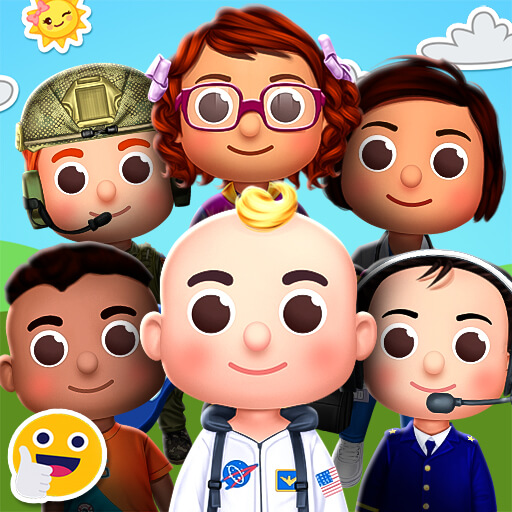
Character Selection & Wardrobe
Players begin by picking a friendly character from a small set of available options. Each character serves as a blank canvas for the outfits that follow. The wardrobe contains clothing pieces and accessories tied to different jobs, such as a chef's apron, an astronaut helmet, or an artist's beret. Children can browse through these items freely, tapping or clicking to see how each piece looks on their chosen character. The interface uses large buttons and clear icons, making navigation straightforward for young users.
Mixing Pieces for Unique Looks
One of the core activities involves combining items from multiple professions on a single character. A child might pair a doctor's coat with a painter's hat and a pair of glasses. This mix-and-match system encourages experimentation and personal expression. There are no wrong combinations, so kids can explore freely without fear of making mistakes. The game provides a safe environment where creativity takes priority over following rules.
Learning Through Play
Each outfit piece includes subtle visual cues that hint at the associated profession. For example, a chef outfit may include a spatula or a tall hat, while an astronaut suit comes with a helmet and a small control panel. These details help children make connections between clothing and real-world jobs. The game does not include text-heavy explanations, relying instead on visual recognition and curiosity to guide learning.
Simple Controls for Independent Play
Designed for young children, the game uses only basic touch or click actions. Selecting a character, browsing the wardrobe, and applying items all require just one or two taps. There are no menus with complex options or settings that could confuse a child. This simplicity allows kids to play without needing constant help from an adult, fostering a sense of independence.
Saving & Sharing Creations
Once a child finishes designing an outfit, they can save the image to their device. The game may also offer options to share the creation with family members through standard sharing features. This gives children a sense of accomplishment and allows parents to see what their kids have been creating. The sharing process is straightforward and does not require any account setup or personal information.
Safe Environment for Creative Exploration
The game contains no advertisements, no in-app purchases, and no external links. This ensures that children can play without encountering inappropriate content or being prompted to spend money. The focus remains entirely on the dress-up activity and the learning that comes with it. Parents can feel confident that their child is engaging with content that is both entertaining and developmentally appropriate.

Comments
0 comments