
Core Gameplay Loop
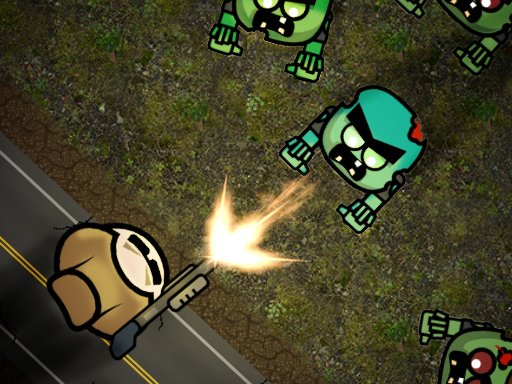
Cheerful Home Defender places you in charge of a cheerful home that is approached by playful characters. Your main task is to prevent these characters from reaching the house by using a selection of tools. Each tool functions differently: some fire quickly, others cover a wide area, and a few deliver a strong single hit. Energy orbs dropped by defeated characters allow you to keep using your tools. The action is continuous, with waves of characters that grow in number and speed.
Tool Variety and Strategy
The game offers several tools, each with a distinct firing pattern and energy cost. Choosing the right tool for each situation is key. For example, a rapid-fire tool works well against fast-moving characters, while a wide-area tool helps when many characters approach at once. Players can switch between tools during a wave, which requires quick decision-making. Managing energy becomes more important as the game progresses, since stronger tools consume more energy per use.
Visual Style and Atmosphere
The graphics are bright and colorful, with a cartoon-like art style that keeps the mood light. The house is drawn with warm colors, and the characters have friendly, rounded designs. There are no dark or scary elements, making the game suitable for young players. The background music is upbeat and changes slightly as waves intensify, adding to the sense of progress without becoming stressful.
Difficulty Progression
Early waves are slow and introduce only a few characters, allowing new players to learn the controls and tool effects. As you survive more waves, characters become faster, appear in larger groups, and may move in unpredictable patterns. The increasing difficulty encourages players to plan their tool usage and movement. There is no time limit, so players can focus on strategy rather than speed. This gradual ramp-up ensures that both beginners and experienced players find a comfortable challenge.
Controls and Accessibility
The game can be played using a mouse or touch screen. To aim and activate a tool, simply click or tap on the desired direction. Tools are selected from a toolbar at the bottom of the screen. Players can move their character by dragging or using the arrow keys. The interface is clean and uses large icons, making it easy for children to understand. There are no complex menus or tutorials, so players can start playing immediately.
Replay Value
Because each session generates a different sequence of character waves, no two games feel exactly the same. Players can experiment with different tool combinations to find what works best for their play style. The game rewards practice and strategic thinking, as later waves require precise timing and efficient energy management. This variety encourages players to return for multiple sessions, trying to beat their previous survival time.







Comments
0 comments