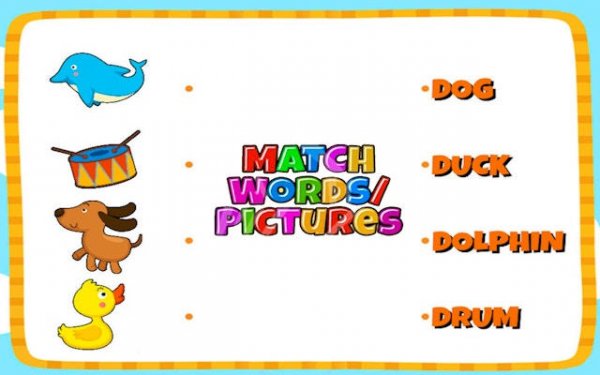
Picture Word Match Puzzle
What players say
Match Pictures to Words offers a simple but effective approach to vocabulary building. The dual modes let players choose between relaxed practice and a timed challenge, which adds replay value. Visual cues paired with text reinforce word retention, making it useful for young learners or anyone expanding their language skills. The interface is clear and responsive, and the audio feedback is encouraging without being distracting. While the core loop is straightforward, the learning outcomes are solid, making this a worthwhile educational tool for regular use.
About
Game Introduction
Match Pictures to Words: Vocabulary Puzzle Game Online - Word Game transforms language learning into an engaging puzzle activity. Players are presented with colorful images and corresponding text labels, and the core objective is to connect each picture to its matching word. This approach leverages visual cues to reinforce vocabulary, making it ideal for young learners and those new to a language. The game offers a calm, educational environment where word recognition is practiced through matching, suitable for both home and classroom use. By pairing images with words, it supports cognitive development and memory retention in a playful setting.
How to Play
To play, use your mouse to click on a picture, drag it, and drop it onto the matching word. The game provides instant feedback: a correct match displays a cheerful 'Well Done!' message, while an incorrect one encourages you to try again. Players can choose between Easy Mode for relaxed learning or Normal Mode, which adds a challenge with three lives. This straightforward loop makes mastering new words rewarding without pressure. The interface is designed to be intuitive, allowing players to focus on the matching task.
Game Features
Key features include dual game modes (Easy and Normal) to accommodate different skill levels, a user-friendly interface with clear visuals, and cheerful audio feedback that celebrates correct matches. The drag-and-drop gameplay is straightforward and accessible, promoting educational value for visual learners. These elements create an engaging experience that adapts to individual pace, making vocabulary practice enjoyable and effective.
Tips for Success
To get the most out of the game, practice regularly to strengthen word-image associations. Start with Easy Mode to build confidence, then progress to Normal Mode for a greater challenge. Focus on the visual details in each picture to help recall the correct word. If you make a mistake, use the gentle prompts to learn and try again. Consistent play will naturally expand your vocabulary and improve recognition speed.
Compatibility
💻 Desktop | 📱 Mobile | 📟 Tablet – All supported · Best with Chrome or Safari