Garden Guardian Strategy Defense

Garden Guardian Strategy Defense

Echo Core Works
Strategy Defense Tower Defense

Reviews

Garden Guardian Strategy Defense stands out from standard tower defense by splitting its roster into plants and helpers, which pushes players to think about unit synergy rather than just stacking damage. The free browser format and mouse-and-keyboard controls make it easy to start, while boss battles and new enemy types add pressure that demands repositioning. Its family-friendly gardening theme and puzzle-like level design suit players who enjoy planning over reflexes. The main limitation is that the input does not detail unit counts, level totals, or mobile support, so those expecting a deep campaign or touchscreen play should verify before committing.

About This Game

Core Defense Loop

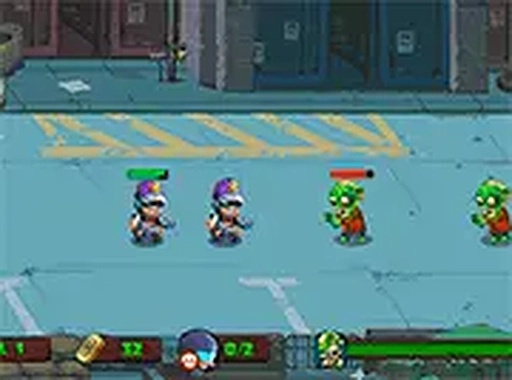
Garden Guardian Strategy Defense asks you to protect a base by placing two unit categories on the battlefield: plants and helpers. Plants generally form the front line and absorb or block enemy movement, while helpers provide support such as slowing enemies or adding firepower. The mouse is your primary tool for selecting and positioning units, and full-screen mode is available for a clearer view of the lane. [IMG_1]

Reading Enemy Waves

Enemies arrive in waves, and their movement patterns change as you progress. Some waves may push quickly toward your base, while others may require you to reposition attackers or add support units to handle tougher targets. Boss battles appear as distinct challenges, testing whether your current layout can hold under concentrated pressure. Because new enemy types appear over time, a formation that works early may need adjustment later.

Unit Roles and Placement

Each unit has a specific job. Defensive plants are best placed where enemies will meet them first, while shooters belong behind that front line so they can deal damage without being reached immediately. Support helpers can slow enemies or otherwise alter the pace of a wave. The mix of plants and helpers is the game's main strategic twist, encouraging you to combine direct attackers with utility units rather than relying on a single strong unit.

Progression and Replay

New units unlock as you advance, giving you more options for later levels. Resources must be managed carefully because unlocking or placing stronger units competes with maintaining your current defense. The level structure increases in difficulty, and the combination of helpers and plants supports multiple approaches, so replays can play out differently depending on your choices. The game runs in a browser and is controlled with mouse and keyboard.

Editorial Notes

Compatibility

This H5 game runs smoothly on:
• Desktop computers (Windows / Mac) • Mobile phones (iPhone / Android)
• Tablets (iPad / Android)
🌐 Best experienced with Chrome, Safari, or Edge

FAQ

Is Garden Guardian Strategy Defense free to play?
Yes. The game is described as free and runs directly in your browser. You do not need to download or install anything to start playing, though you will need a desktop browser and a mouse and keyboard to control unit placement.
What is the main difference between plants and helpers in Garden Guardian Strategy Defense?
Plants typically serve as defensive units that block or absorb enemies, while helpers provide support such as slowing enemies or adding extra attacks. The game's strategy comes from combining both types, so you are not just placing damage dealers but also managing utility and front-line durability.
How do I deal with boss battles in Garden Guardian Strategy Defense?
Boss battles are described as a distinct challenge that tests your layout. The input advises staying calm and using your strongest units strategically. Because bosses appear after regular waves, keeping resources available to reinforce your defense before a boss arrives can help you avoid being overwhelmed.
Can I play Garden Guardian Strategy Defense on mobile devices?
The input specifies desktop play with keyboard and mouse controls. It does not mention mobile or touchscreen support. If you only have a phone or tablet, the game may not be playable as described, so a desktop or laptop browser is the intended platform.
What should I do when a new enemy type appears in Garden Guardian Strategy Defense?
Watch how the new enemy moves and where it targets. Adjust your placement by adding support units to slow it down or repositioning attackers to focus on it. The game emphasizes adaptability, so changing your formation mid-level is part of the intended challenge rather than a sign of failure.
Does Garden Guardian Strategy Defense have multiple levels or endless waves?
The input describes a variety of levels with increasing difficulty, and progression unlocks new units. It does not state whether waves are endless or finite per level. Each level is presented as a puzzle-like challenge where careful planning and resource management matter more than rapid clicking.

Comments

0 comments
U
User
★ ★ ★ ★ ★
Loading comments...