Sur's Retro Side-Scrolling Challenge
Action Retro Platformer

Sur's Retro Side-Scrolling Challenge

DeveloperBane Ember Games
Published2025-02-09
Updated2026-07-30

Sur's Retro Side-Scrolling Challenge delivers a pure platforming experience that stays true to its 8-bit roots. The controls are responsive and easy to learn, letting you focus on the core challenge of navigating each stage. The visual style effectively evokes classic gaming without feeling dated. The difficulty curve is well-paced, with early stages building confidence before later ones demand sharper timing. This is a solid choice for anyone looking for a quick, focused platforming session without complex mechanics or distractions.

REVIEWS

Sur's Retro Side-Scrolling Challenge delivers a pure platforming experience that stays true to its 8-bit roots. The controls are responsive and easy to learn, letting you focus on the core challenge of navigating each stage. The visual style effectively evokes classic gaming without feeling dated. The difficulty curve is well-paced, with early stages building confidence before later ones demand sharper timing. This is a solid choice for anyone looking for a quick, focused platforming session without complex mechanics or distractions.

ABOUT THIS GAME

Core Gameplay Loop

This side-scrolling platformer puts you in control of Sur, a character who must move from the left side of each stage to the exit on the right. The primary challenge comes from navigating gaps in the terrain and avoiding the enemies that patrol each area. Success depends on learning the layout of each stage and the movement patterns of its hazards.

Movement and Actions

Sur can move left or right using directional inputs. A jump action lets you reach higher platforms or clear gaps. When jumping is not the best option, a roll move provides an alternative way to avoid contact with enemies. Sur also has a projectile attack that can be used to defeat enemies from a distance. Coordinating these actions becomes essential as the game progresses.

Visual Presentation

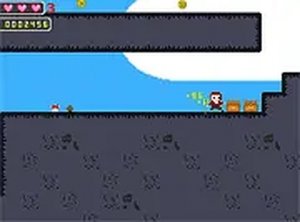
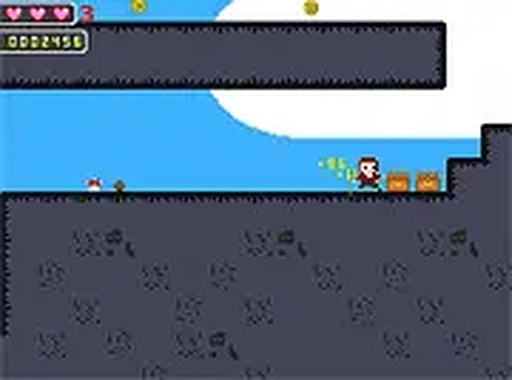
The game adopts an 8-bit visual style that mirrors the look of early home console games. This aesthetic choice creates a nostalgic feel for players familiar with classic gaming. The simple color palette and blocky sprites keep the focus on the gameplay rather than complex visuals.

Accessibility and Platform

Designed for desktop computers, the game accepts input from both keyboard and mouse. It runs entirely within a web browser, so no downloads or installations are required. A full screen option is available for players who prefer a more focused view. The controls are straightforward, making it easy for newcomers to start playing immediately.

Difficulty Progression

Early stages introduce basic platform arrangements and a small number of enemies. As players advance, the stages become more complex, with tighter platform placements and more varied enemy patterns. This gradual increase in difficulty allows players to build their skills over time. The game rewards careful observation and consistent practice.

✅ Compatibility & Testing

• Desktop (Windows 11, macOS Ventura)
• Mobile (iPhone 14, Samsung Galaxy S23)
• Tablet (iPad Pro, Android tablet)
✅Supported browsers: Chrome, Safari, Edge, Firefox (latest versions)
❌ Not supported: Internet Explorer, older browser versions

Faq

Is Sur's Retro Side-Scrolling Challenge free to play?
Yes, the game is completely free to play. There are no hidden costs or in-game purchases. You can access it directly through your web browser without any payment.
What platforms can I play Sur's Retro Side-Scrolling Challenge on?
The game is designed for desktop computers. It runs in any modern web browser and supports both keyboard and mouse input. It is not currently available on mobile devices or gaming consoles.
Do I need to download anything to play Sur's Retro Side-Scrolling Challenge?
No download is necessary. The game runs entirely within your web browser. This means you can start playing almost instantly without installing any software.
How long does it take to complete Sur's Retro Side-Scrolling Challenge?
The total play time depends on your skill level. Early stages can be completed quickly, but later stages require more practice. Most players can expect to spend several sessions working through the increasing difficulty.
Can I save my progress in Sur's Retro Side-Scrolling Challenge?
The game does not include a save feature. Each session starts from the beginning. However, the stages are designed to be short enough that you can practice specific sections without losing too much progress.
What happens when Sur touches an enemy or hazard?
Contact with an enemy or hazard ends the current attempt. You will need to restart the stage from its beginning. This design encourages careful observation and precise timing.

COMMENTS

0 comments
U
User
Loading comments...

SIMILAR GAMES

VIEW ALL →