
Game Introduction
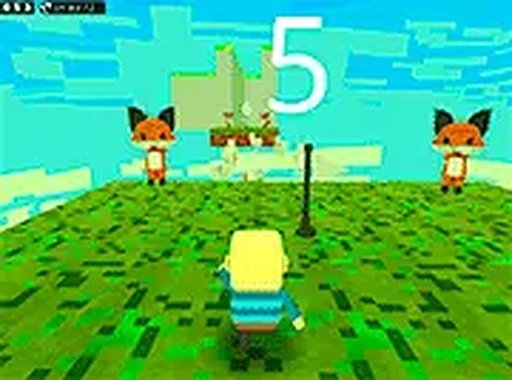
Kogama Parkour 3D Adventure is a family-friendly online game set in a vibrant, blocky world inspired by Minecraft. The main goal is to guide your character through a series of obstacle courses by jumping, running, and climbing across platforms. Players can choose to join one of two teams, adding a cooperative or competitive element as they race to reach the finish line. The game features colorful 3D graphics that capture the charming, blocky aesthetic many players enjoy. Each course is designed to test timing and agility, with moving platforms, tricky gaps, and creative block arrangements. Whether you are a parkour enthusiast or a casual player, this free browser game offers a fun and rewarding experience for all ages. The game is accessible directly in your web browser without any downloads, making it easy to start playing immediately.
How to Play
To play Kogama Parkour 3D Adventure, you use your keyboard and mouse. The controls are simple: players typically use the arrow keys or WASD to move their character and the spacebar to jump. The mouse allows you to look around and adjust your perspective. Your goal is to navigate each parkour course by jumping from platform to platform, avoiding falls, and overcoming obstacles. You start by choosing a team, which adds a fun cooperative or competitive element. As you progress, levels become more challenging, requiring precise timing and careful jumps. Pay attention to moving blocks and gaps, and plan your route carefully. There is no time limit, so you can take your time and explore the Minecraft-inspired world. The game is designed for desktop play, providing the best control with a keyboard and mouse.
Game Features
Kogama Parkour 3D Adventure includes several key features: team-based gameplay where you can join one of two teams, colorful Minecraft-style 3D graphics, and challenging obstacle courses with moving platforms and tricky jumps. The game is completely free to play directly in your browser, with no downloads required. You can also enjoy it in full screen mode for a more immersive experience. The controls are simple and intuitive, making it accessible for players of all ages. The game is designed for desktop play, providing the best control with a keyboard and mouse. Each course tests your timing and agility, offering a rewarding challenge for parkour fans.
Tips for Success
To succeed in Kogama Parkour 3D Adventure, practice your jumps regularly to improve your timing and precision. Study each course before attempting difficult sections, paying attention to moving blocks and gaps. Plan your route carefully, and take your time—there is no time limit. Use the mouse to look around and spot the best path. Team up with others to coordinate strategies and reach the finish line together. Stay patient and persistent; mastering each course takes practice. Enjoy the process and have fun exploring the creative blocky world.




Comments
0 comments